
User manual




A7+InternetTablet–UserManualv1.5 Page36
Managing Files
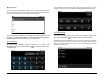
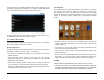
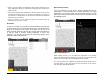
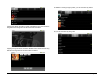
You can use the File Manager to Send, Move, Copy, Rename or Delete
files. Just browse through your folders until the file you want to work with,
then press and hold the file until a popup menu appears.
The File Manager is optimized for working with individual files but has
limitations for working with folders. For comprehensive file management,
third party apps like ES File Explorer are recommended.
8.11 Calculator
You can do basic calculations using the Calculator in your Tablet. Tap
the Master Apps key on the Smart Menu then tap the shortcut for the
Calculator app.
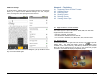
The standard functions are the same as any basic calculator, but if you
swipe the screen to the right, there are additional mathematical options.
8.12 Alarm Clock
The Tablet comes equipped with an alarm clock. Tap the Master Apps
key on the Smart Menu then tap the shortcut for the Clock app.
A digital clock will be displayed on screen, with a menu along the bottom.
The menu button on the left shows an icon of an alarm clock. Tap this
button to display a screen that shows current alarm settings and gives
the option to Add Alarm.