
User manual




A7+InternetTablet–UserManualv1.5 Page39
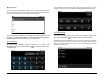
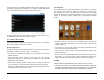
Additional Settings
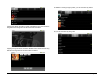
As shown below, another button on the popup submenu at the bottom
allows you to adjust several additional settings: font size, margins,
colors, text alignment, line spacing and screen timeout.
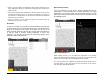
To make the submenu at the bottom disappear, just tap the Menu Smart
Key on the black bezel again.
Chapter 9 – The Gallery
9.1 Supported Photo & Video Formats
9.2 Viewing Photos
9.3 Editing Photos
9.4 Sharing Photos
9.4 Deleting Photos
9.5 Viewing Video Clips
9.1 Supported Photo & Video Formats
The Tablet supports 4 photo file formats: JPEG, BMP, GIF and PNG.
Supported video formats include:
¾ Decode: H.264 MP, H.263 and VC-1
¾ Encode/Decode: MPEG4 SP and H.264 BP
¾ A/V Containers: Quicktime, AVI, MP4, MP3, 3GP, ASF and OGA
9.2 Viewing Photos
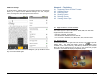
On the Smart Menu at the right side of the screen, Tap to open the
Gallery utility. The Tablet will display groups of photos and videos
available on the internal memory, USB drive (if attached) and external
Micro SD card (if inserted into the top slot). If your photos are grouped
into folders, the folders will display as separate groups: