
User manual




A7+InternetTablet–UserManualv1.5 Page41
9.6 Viewing Video Clips
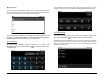
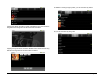
When you open the Gallery, you will see a folder of Video Clips in
addition to the various photo folders. Tap the Video Clips folder to
display thumbnail images of the video clips.
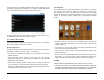
Tap the thumbnail of the video you wish to play and the clip will begin to
play with the player controls overlaid for a few seconds. The player
control panel consists of volume at the top; reverse, play/pause and
forward shuttle control buttons under the video, and a playback progress
bar beneath the main shuttle control buttons.
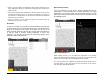
The player control panel auto-hides after a few seconds but can be made
visible at any time by tapping the video. You can jump to any part of the
video by dragging the progress bar or tapping on the playback progress
bar at the desired play point.
Chapter 10 – The Music Player
10.1 Player Features
10.2 Supported Audio Formats
10.3 Importing Music
10.4 Playing Music
10.5 Creating Playlists
10.1 Player Features
The Tablet’s built-in Music Player is a robust application with playlist,
shuffle and repeat functionality as well as the ability to sort songs by
Title, Artist or Album for catalogue, reference and playback purposes.
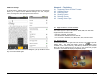
The player control panel has buttons for previous, reverse, play/pause,
forward and next. There is also a playback progress bar at the bottom.
10.2 Supported Audio Formats
The Tablet is capable of playing many different types of audio files.
Supported audio formats include:
¾ Decode: AMR-NB, AMR-WB, eAAC+, BSAC, MP3, Ogg Vorbis, WMA 10
¾ Encode/Decode: PCM, AAC LC, AAC+
¾ A/V Containers: Quicktime, AVI, MP4, MP3, 3GP, ASF and OGA
10.3 Importing Music
On the Smart Menu at the right side of the screen, Tap to open the
Music Player. There is no need to import music into the player because
the Tablet automatically recognizes compatible audio tracks available on
the internal memory, USB drive (if attached) and external Micro SD card
(if inserted into the top slot).
As shown below on the next page, the list of audio tracks will be
compiled into a list sorted by Artist. You can see the Artist name and
number of albums. The number of albums has an expansion arrow that
reveals Album titles and number of songs.