
User manual




A7+InternetTablet–UserManualv1.5 Page44
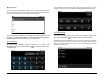
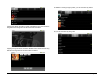
If you are building a new playlist, tap New; if you are adding to a playlist
you are currently building, tap Current Playlist.
If you are creating a new playlist, give it a name.
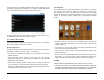
If you tap the Playlists tab, you will see your new Playlist added to the
list. The Recently Added list is always there; push and hold it to open a
popup menu that allows you to play the recent songs or to edit the time
duration that determines if a song is recent or older.
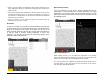
Press and hold your playlist and a popup menu will allow you to play, edit
or delete the playlist.
Tap on the name of the playlist to reveal all songs that are included.
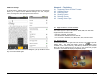
Press and hold any of the song titles in the playlist to open a popup
menu that allows you to play, remove from playlist, or delete completely.
From this screen, you can tap the Menu Smart Key on the black bezel to
open a menu at the bottom that allows for Shuffle Play.