
User manual




A7+InternetTablet–UserManualv1.5 Page45
Chapter 11 – System Management
11.1 System Information
11.2 Power Management
11.3 Storage Management
11.4 Backup & Restore
11.5 Factory Data Reset
11.6 Search Function
11.7 Firmware Updates
11.1 System Information
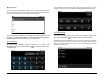
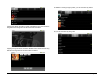
To view key system information, launch Settings>About device. There
you can access items such as System Updates, System Status, Battery
use, Model number, Firmware version, Serial Number and more.
11.2 Power Management
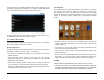
The Tablet has the following power requirements:
• Android System requires 75% power.
• Display requires 12% power when working. Press and hold the
Display icon to access a pop-up a windows that shows the display
working time. To save power, you can reduce the screen brightness
and/or screen timeout.
• Bluetooth requires 8% power when working. Press and hold the
Bluetooth icon to access a pop-up window that shows the Bluetooth
working time. Turn off Bluetooth when you aren't using it to save
power.
• Wi-Fi requires 7% power when working. Press and hold the Wi-Fi
icon to access a popup window that shows Wi-Fi working time. Turn
off Wi-Fi when not using it or where it is not available to save power.
11.3 Storage Management
The Tablet has a utility that allows you to check and manage micro SD
card content storage.
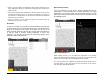
To access SD Card & Tablet storage
Launch Settings>SD Card & device storage for a master screen that
shows Total space and available space on the internal and external
devices.
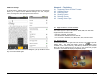
External
Micro SD Card
Storage Statistics
Internal Memory
Storage Statistics
(4 GB total – 2.44 GB
operating system =
1.56 GB available)
External USB
Storage Statistics