
User manual





A7+InternetTablet–UserManualv1.5 Page48
Note: Since the files stored in the Tablet may be deleted or overwritten
during the update process (including the pre-installed movie trailers),
please copy any files which you have stored in the Tablet before
updating.
Update Procedure
Please follow these directions carefully for a successful update:
¾ Download the Firmware Update ZIP file to your PC or Mac from the
eLocity website: http://www.elocitynow.com/support and click on the
link near the top for Downloads>A7+ Downloads.
¾ Copy the ZIP file from your PC or Mac to a MicroSD card or USB flash
drive (the “External Memory”). The file must be copied to the ROOT
DIRECTORY of the External Memory, so make sure you do not copy
the file into a subfolder.
¾ Do not rename the file – it must be called update.zip
¾ Insert the External Memory into the Micro Card slot or the USB port of
the A7+ Tablet. If you are using the USB drive for the update, make
sure the micro SD card slot is empty so that the USB will have priority.
¾ Plug the A7+ Tablet into an electrical outlet using the AC adaptor. A
low or dead battery during the update process can result in severe
software damage that may not be recoverable.
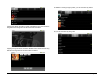
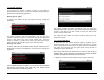
¾ Launch Settings>About device>System updates>Update device.
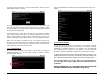
¾ Follow the on-screen prompts. The system will restart automatically in
update mode, then will restart when the update is complete.
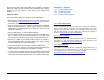
¾ To confirm that your update has been correctly installed, open Settings
> About device. Scroll down to Build version and you should see a new
build number that matches the description on the website update page.
Chapter 12 – Support
12.1 Product Registration
12.2 Technical Support
12.3 Limited Warranty
12.4 Product Specifications
12.2 Product Registration
Stream TV Networks strongly encourages you to register your Tablet for
most effective support, notification of firmware updates and other
benefits. Your information is never used for solicitation and never shared
with any third parties. You can register your Tablet at the company’s
website: http://www.elocitynow.com/registration
12.3 Technical Support
Stream TV Networks offers technical support for the A7+ Tablet via email
and telephone. See the company website for contact procedures and
information: http://www.elocitynow.com/support
12.4 Limited Warranty
Your Tablet is covered by Stream TV Networks’ Limited Warranty for a
period of 90 days for commercial use or 1 year for personal use. Details
of the warranty can be found on the company’s website:
http://www.elocitynow.com/docs/warranty_details.pdf