
User manual

A7+InternetTablet–UserManualv1.5 Page1
Chapter 1 – Introduction
1.1 Overview
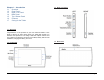
1.2 Front Panel
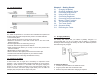
1.3 Right / Left Panel
1.4 Back Panel
1.5 Top / Bottom Panel
1.6 Features
1.7 Caring for the Tablet
1.1 Overview
Congratulations on the purchase of your new advanced Tablet. You’re
about to discover so many things about your Tablet that will help you
maximize the experience of its usage. Read this chapter and the next
one to learn more about the functions of the Tablet, battery and SD card
installation, charging the battery, and more.
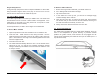
1.2 Front Panel
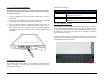
1.3 Right / Left Panel
1.4 Back Panel