
User guide





Maintenance
39 Liebert
®
GXT4
™
6.1.1 Battery Replacement Procedures
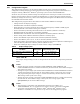
1. Remove the front plastic bezel cover from the UPS.
2. Loosen and remove the six screws on the battery door, as shown in Figure 43.
3. Lay the battery door and screws aside for reassembly.
Figure 43 Removing the front bezel cover and battery door
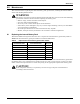
4. Gently pull the battery wire out and disconnect the battery plug and battery receptacle, as shown
in Figure 44.
Figure 44 Disconnecting the battery plug and battery receptacle (front view)
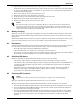
5. Grasp the battery handle, and pull the internal battery pack out of the UPS, as shown in
Figure 45.
Figure 45 Pull out the battery
Battery Connector
Battery Receptacle
Internal Battery Pack
Battery Handle
Pull Out with Battery Handle