
Specifications

Interleave Factor
After pressing
<ENTER
> at the “Disk Drive type” field, the
cursor will blink below either the default value or the previous
value entered for the “Interleave (1-16)” field. The default
value is the previous value determined by Auto Interleave.
Type the desired value and press <ENTER > . The cursor will
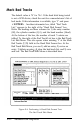
move to the next field, “Mark Bad Tracks
(Y/N).”
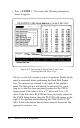
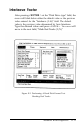
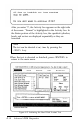
Figure E-3. Performing A Hard Disk Format Test:
Marking Bad Tracks
Advanced ROM Diagnostics
E- 11