
Specifications

Option Switches
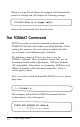
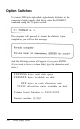
To format 180K-byte sigle-sided, sigle-density diskettes in the
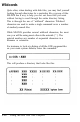
computer’s high capacity disk drive, enter the FORMAT
command using the 11 option switch:
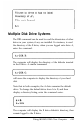
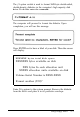
The computer will proceed to format the diskette. Upon
completion, you will see this message:
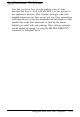
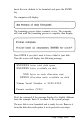
And the following screen will appear if you press ENTER.
(If you want to have a volume label, type the characters and
enter.)
XXXXXXX bytes total disk space
XXXXXXX bytes available on disk
XXX bytes in each allocation unit
XXXXX allocation units available on disk
Volume Serial Number is XXXX-XXXX
Format another (Y/N)?
5-6
Using Floppy Disks