
Printer User Manual
Table Of Contents
- ADDENDUM
- FRONT MATTER
- TABLE OF CONTENTS
- ABOUT THIS MANUAL
- INTRODUCTION
- CHAP 1-SETTING UP THE PRINTER
- CHAP 2-PAPER HANDLING
- CHAP 3-USING THE PRINTER
- CHAP 4-SOFTWARE AND GRAPHICS
- CHAP 5-USING THE PRINTER OPTIONS
- CHAP 6-MAINTENANCE
- CHAP 7-TROUBLESHOOTING
- CHAP 8-TECHNICAL SPECIFICATIONS
- CHAP 9-COMMAND SUMMARY
- APPENDIX
- INDEX
- QUICK REFERENCE
Epson ESC/P Commands Arranged by Topic
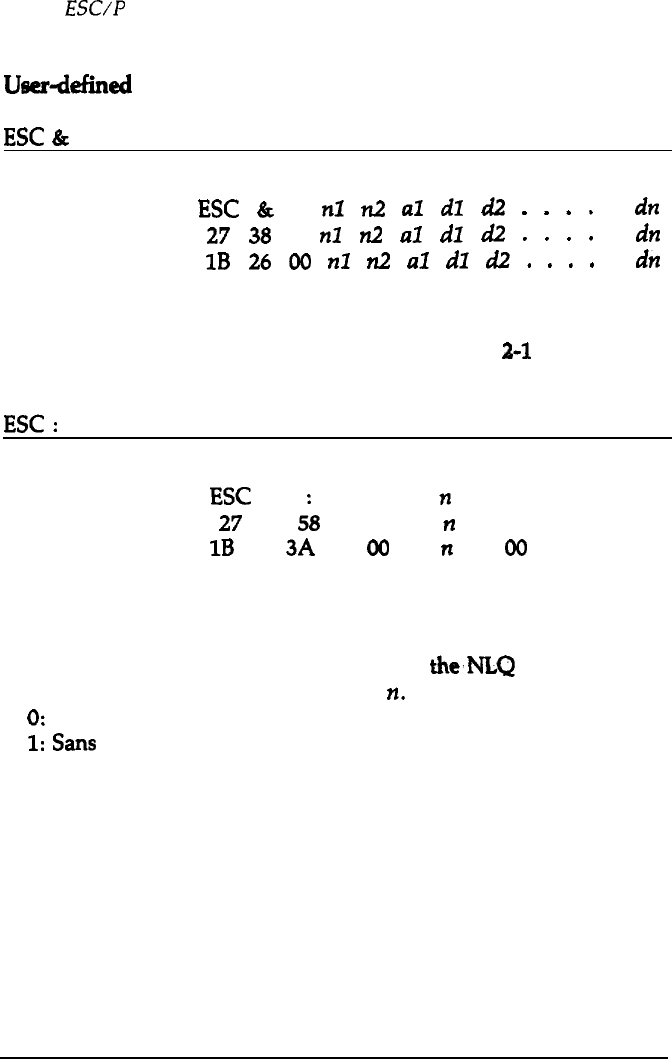
Userdefined
characters
ESC
&
Format:
Define User-defined Characters
ASCII code:
ESC
&
0
nl
n2
al
dl
d2
.
.
.
.
.
dn
Decimal:
27
38
0
nl
n2
al
dl
d2
.
.
.
.
.
dn
Hexadecimal:
1B
26
00
nl
n2
al
dl
d2
.
.
.
.
.
dn
Comments:
This command defines characters in the currently selected mode.
This command does not work when DIP
switch
2-l
is on.
ESC
:
Format:
Copy ROM into RAM
ASCII code:
ESC
0
n
0
Decimal:
27
5;
0
n
0
Hexadecimal:
1B
3A
00
n
00
Comments:
This command copies the characters in the ROM into RAM so
that specific characters can be redefined. This command does not
work when DIP switch 2-l is on. One of
the,NI.Q fonts is copied
depending on the value specified for
n.
0: Roman
1:
Sans
Serif
9-36 Command
summary