
User guide

35BusinessPhone – Dialog 4220 Lite / Dialog 3210
During Calls
Dialog 3210
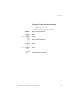
Inquiry g Press.
z Call the third party.
Message
g Press to establish a three party Conference (pre-
programmed).
Now you have established a three party Conference. To indicate
the Conference, all Conference members will hear a periodical
Conference tone.
Repeat the procedure to include other persons into the
Conference.
In this way, you can include up to six parties in a conversation. How
many of them can be external callers depends on the programming
of the system.
Individual Hold
You have an ongoing conversation, i.e. the Line key is lit.
Now you want to put the ongoing call on hold for a short while.
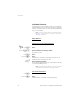
Line
ÕÔ Press the Line key.
The lamp flashes slowly.
Line
ÖÔ Press again to retake the call that has been put on hold.
Note: This is also valid for the Inquiry key.