
User guide

53BusinessPhone – Dialog 4220 Lite / Dialog 3210
Messages
Dialog 3210
Activate
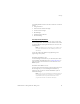
Divert your extension to the Mailbox system.
*21* Dial.
z Dial the number to the Mailbox system.
Please ask the system administrator for your defined Mailbox
system number.
# Press.
X Press to finish the procedure.
Deactivate
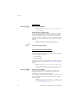
#21# Dial.
X Press to finish the procedure.
Personal Greeting
Depending on the type of diversion you want to activate, you can
leave three different Personal Greetings to the caller. You can
activate a diversion when a caller receives busy tone, when there is
no answer, or you can activate the Individual Diversion for all your
calls.
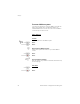
u Lift the handset.
*59# Dial.
During the procedure you will be asked for your extension number
and your Password.