
User guide



Other Useful Facilities
50
Dialog
3212
Dialog
3210
Dialog
3211
DIRECT INWARD SYSTEM ACCESS (DISA)
(Optional) If you are assigned to use this function and you are working
externally, you can call your office and get access to an exter-
nal line in order to make business calls. The business call will
be charged your office extension number or an account num-
ber. You will just be charged for the call to the office.
The external telephone must be of push button type provided
with a hash (#) and star (*) key or a mobile telephone adap-
ted for dial tone signalling (DTMF).
After a completed DISA call you must hang up before a new
DISA call can be made.
Depending on the type of authorization code and if an
account code is used, different procedures must be used:
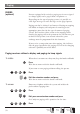
With common authorization code
Call the DISA function at your office
Dial tone.
Press
Enter the authorization code and press
Dial tone.
Dial the external number