A Sierra Monitor Company Driver Manual (Supplement to the FieldServer Instruction Manual) FS-8700-52 Notifier AM6000 APPLICABILITY & EFFECTIVITY Effective for all systems manufactured after May 1, 2001 Instruction Manual Part Number FS-8700-52 5/22/2002
FS-8700-52 Notifier AM6000 Driver Manual TABLE OF CONTENTS 1. NOTIFIER AM6000 DESCRIPTION............................................................................................................................1 2. DRIVER SCOPE OF S UPPLY........................................................................................................................................2 2.1 SUPPLIED BY FIELDSERVER FOR THIS DRIVER.....................................................................................
FS-8700-52 Notifier AM6000 Driver Manual 1. Notifier AM6000 Description The Notifier AM6000 driver is a seial driver. It allows the FieldServer to transfer data from a Notifier AM6000 panel over either RS232 or RS485 using Notifier AM6000 protocol. There are eight RS232 and two RS485 ports standard on the FieldServer. The FieldServer can only a passive Client. The driver receives messages intended for a system printer, interprets these messages by filling in data arrays in the FieldServer.
FS-8700-52 Notifier AM6000 Driver Manual 2. Driver Scope of Supply 2.1 Supplied by FieldServer for this driver FieldServer Technologies PART # 8915-10 8917-02 8917-01 SPA59132 DESCRIPTION UTP cable (7 foot) for RS232 use UTP cable (7 foot) for Ethernet connection RJ45 to DB9F Connector adapter RJ45 to DB25M connection adapter RS485 connection adapter Driver Manual. FieldServer Technologies 1991 Tarob Court, Milpitas, California 95035 (408) 262-2299 fax: (408) 262-9042 Visit our website: www.
FS-8700-52 Notifier AM6000 Driver Manual 3. Hardware Connections Configure the Notifier AM6000 according to manufacturer’s instructions. FieldServer Technologies 1991 Tarob Court, Milpitas, California 95035 (408) 262-2299 fax: (408) 262-9042 Visit our website: www.fieldserver.com E-mail: support@fieldserver.
FS-8700-52 Notifier AM6000 Driver Manual 4. Configuring the FieldServer as a Notifier AM6000 Client For a detailed discussion on FieldServer configuration, please refer to the instruction manual for the FieldServer. The information that follows describes how to expand upon the factory defaults provided in the configuration files included with the FieldServer (See “.csv” files on the driver diskette).
FS-8700-52 Notifier AM6000 4.
FS-8700-52 Notifier AM6000 4.4 Driver Manual Client Side Map Descriptors 4.4.
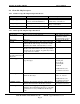
FS-8700-52 Notifier AM6000 Driver Manual 4.4.3 Timing Parameters Column Title Scan_Interval Function Rate at which data is polled Legal Values >0.1s FieldServer Technologies 1991 Tarob Court, Milpitas, California 95035 (408) 262-2299 fax: (408) 262-9042 Visit our website: www.fieldserver.com E-mail: support@fieldserver.
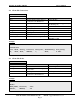
FS-8700-52 Notifier AM6000 4.4.4 Driver Manual Map Descriptor Example. Name of the data array that will be updated when this map descriptor is used. The position in the data array that corresponds to device whose number is equal to the Address Parameter. In this example device 500's state will be strored in the 0th element of the data array called All map descriptors for the AM6000 Notifier driver must be passive. DEVICE_STATES_LOOP1 The range of device address is determined by this parameter.
FS-8700-52 Notifier AM6000 Name of the data array that will be updated when this map descriptor is used. Driver Manual All map descriptors for the AM6000 Notifier driver must be passive. When a Block Acknowledge or System Reset message is received the driver will set the portion of the data array DEVICE_STATES_LO OP1 starting at Data_Array_Offset for Length number of elements to zero.
FS-8700-52 Notifier AM6000 Driver Manual 5. Driver Notes 5.1 Map Descriptor Keywords 5.1.1 AM6000_TypeID This keyword sets up a category of messages. If you are interested in device state's use the keyword device-only. If you are interested in system trouble messages use the keyword systemtrbl (An alternate method for reporting system trouble messages is provided using the keyword system-styl2. ) device-only Only device based messages are processed using map descriptors with this keyword.
FS-8700-52 Notifier AM6000 5.1.2 Driver Manual AM6000_Status Device state messages report a number of different states for the device. These states are refered to as the device status. The following are possible values of this parameter. Any, alarm, trouble, on, erase, eraseon. If you do not use this parameter in a device-only map descriptor then the driver uses the default value of Any. This means that any device state message will result in the same data array being updated.
FS-8700-52 Notifier AM6000 5.2 Driver Manual Statistics This driver does not keep statistics for each map descriptor. Statistics are maintained for the connection to the Am6000 Notifier device. Count of received messages and bytes. A complete received message is 82 bytes long and thus if all messages are received correctly the byte count should be a multiple of 82. This indicates the number of times a 'Block Ack' or 'System Reset' message have been applied.
FS-8700-52 Notifier AM6000 Driver Manual This statistic indicates the number of messages that were received but were ignored by the driver. Messages are ignored for one of two reasons. Firstly, the driver might not understand the message and secondly because the driver doesn't know what to do with the data from the message. Ignored Messages Ignored messages are very important since they do not result in the data arrays being updated. Messages are ignored for one of two reasons.
FS-8700-52 Notifier AM6000 Driver Manual Catching Ignored Messages To assist you catch and monitor ignored messages the driver provides a special map descriptor keyword. Make a map descriptor and set the parameter AM6000_TypeID 's value to Catch-All. Make sure that this is the last map descriptor in the csv file. The map descriptor requires a data length of at least 82 and when using RUI_Debug you should view the data array in tring mode. The driver will place any ignored messages in this buffer.
FS-8700-52 Notifier AM6000 5.3 Driver Manual Listing of System Trouble Messages Msg Index 0 1 2 3 4 5 6 7 8 9 10 11 12 13 14 15 16 17 18 19 20 21 22 23 24 25 26 27 28 29 30 31 32 33 34 35 Message !!! ILLEGAL !!! MAINS TROUBLE POWER LOW ON MAIN SUPPLY POWER LOW ON AUXILIARY SUPPLY POWER LOW ON BATTERY-CHARGER POWER OVERVOLTAGE ON MAIN SUPPLY POWER OVERVOLTAGE ON BATTERY-CHARGER FAILURE OR OVERLOAD ON MAIN SUPPLY FAILURE OR OVERLOAD ON AUXIL. SUPPLY FAILURE ON BATTERY-CHARGER DISCONNEC. BATT.