
Installation Guide
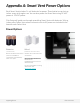



When batteries are inserted, the Smart Vent will open and close its louvers, displaying a
light pattern of 3 illuminated lights, followed by 2. Then, the lights will turn off.
During Setup, lights will cycle in a pattern until the Smart Vent pairs with a Gateway
Puck. This can take up to 5 minutes. After 30 minutes with no pairing, lights will turn off
to save battery life. Turn on Setup Mode to restart Discovery.
When paired with a Gateway Puck, the Smart Vent will display its unique light pattern
until Setup is exited, or for 30 minutes. Smart Vents will display their light pattern any
time Setup is entered, or when batteries are replaced.
Insert Batteries
25s
Setup
Close Searching for nearest Gateway
support@flair.co flair.co/contact
Paired!
OffOpen
25s2s 2s 5s 25s 25s 25s
Unique ID
Appendix D: Vent Light Patterns