
User's Manual


DPC/TRACK
Users Manual
1-4
Conventions
The conventions used in this manual are:
• Bold text indicates a button title, a screen or dialog box title, a keystroke, a
field name, a form name, a page name, or a tab name.
• Italic text is used within notes. Italics are also used for emphasis to help
convey a concept.
• CAPITAL letters are used for directory names and file names.
• Actions requiring a combination of multiple keys are indicated with a +
symbol; e.g., Ctrl+Bksp implies that you should hold down the Ctrl key and
Bksp key at the same time. (Do not press the + key.)
• Typically, words in quotes refer to data as read from, or typed into a field.
Figures and examples are numbered sequentially within each chapter. (Figure 2-1,
for example, is the first figure in Chapter 2.)
For quick reference, each chapter begins with a bulleted list of major topics
summarizing what is covered in that chapter. These topics appear within the
chapter as subtitles in large bold text so you can easily find the topic you are
looking for. Within these major topics are related minor topics that appear in
slightly smaller bold text.
The Fundamentals
DPC/TRACK provides a means of building and maintaining an instrumentation
maintenance database. To this end, the system incorporates four separate yet
related databases, numerous fields, screens, buttons, user levels, etc. However,
because the interface is so intuitive, you don’t need to know everything about
DPC/TRACK before you can start taking advantage of it.
This section of fundamental concepts that should at least be reviewed, if not well
understood before continuing. (In other words, this is an important section.)
Databases, Records, Fields, and Forms
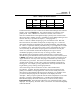
You may think of a database as a table consisting of columns and rows. The
columns of the table represent the different fields that are tracked, while the rows
represent individual records within the database. Table 1-1 shows such a table in
the context of a very simple Test Results database with three records and five
fields.