
Application Note

from the nominal value of 12 psi,
it would also be in reversed type.
This reflects that these tests do
not meet the tolerances specified
in the test setup (Figure 3). Input
the tag, serial number, and tech-
nician ID, and select Done.
Vary the pressure across the
setpoint and make adjustments.
Once the adjustments are fin-
ished, select the AS LEFT softkey.
Repeat the test varying the pres-
sure across the setpoint. Once the
test is complete, select the DONE
softkey. If the adjustment was
successful, the results should be
similar to Figure 7 with all errors
(SETPOINT and DEADBAND) in
forward type indicating that the
test tolerances as specified are
met. If the test fails, re-adjust and
repeat the AS LEFT until the test
passes.
Embedded task
considerations
If the pressure switch test is
performed from a task embedded
in either Fluke’s DPC/TRACK or
a compatible software package,
selecting and performing the task
is similar, but a few consider-
ations should be reviewed.
First, the embedded task
will pre-configure all the setup
steps in Figures 2 and 3. It is
necessary to perform the zero-
ing of the pressure module in
the Source screen as specified
previously under the head-
ing “Setting up the DPC.” You
can do this by depressing the
MEASURE/ SOURCE button until
the Source screen is displayed.
Select pressure, vent the connec-
tion to atmosphere and select the
CLEAR/ZERO button to zero the
module.
Once this is complete, depress
the MORE CHOICES softkey until
the Tasks selection is available.
Select the TASKS softkey, select
the pertinent task, and perform
the test as noted previously
under the heading “Performing
the Switch Test.” Tag and serial
number will be automatically
filled in the tag entry screen. The
user will need to fill in their ID
information if it is not pre-config-
ured in the calibrator setup menu.
Once the pressure switch is
calibrated, it may be rendered
tamper-resistant by sealing
the threads of the adjustment
screw or sealing the openings
which were accessed for factory
calibration.
Pressure instrumentation is
found in virtually every pro-
cess plant. Periodic calibration
of these pressure, level, and
flow instruments is required to
keep plants operating efficiently
and safely. A high-quality DPC,
supported by the appropriate
pressure accessories, provides an
efficient, precise, and safe way
to keep pressure instrumentation
working properly.
3 Fluke Corporation Calibrating pressure switches with a DPC
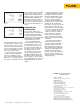
Figure 6.
Figure 7.
Fluke Corporation
PO Box 9090, Everett, WA 98206 U.S.A.
Fluke Europe B.V.
PO Box 1186, 5602 BD
Eindhoven, The Netherlands
For more information call:
In the U.S.A. (800) 443-5853 or
Fax (425) 446-5116
In Europe/M-East/Africa +31 (0) 40 2675 200 or
Fax +31 (0) 40 2675 222
In Canada (800)-36-FLUKE or
Fax (905) 890-6866
From other countries +1 (425) 446-5500 or
Fax +1 (425) 446-5116
Web access: http://www.fluke.com
©2003-2011 Fluke Corporation.
Specifications subject to change without notice.
Printed in U.S.A. 7/2011 2069058B A-EN-N
Modification of this document is not permitted
without written permission from Fluke Corporation.
Fluke. Keeping your world
up and running.
®