
User's Manual



DPCTrack2
Getting Started
10
Download Tab
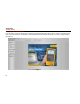
Use the Download tab, download item information directly
into a Fluke calibrator. This information includes item
details and calibration information stored in the item’s
master record. To initiate a download from the
Upload/Download screen, select the desired item(s) from
the list, confirm the appropriate port is selected, and click
the Initiate Download button in the bottom right corner.
See Figure 4.
Figure 4.