
User's Manual




Test Harness
The FS-1000 reader is provided with a test harness piece of software written in VB.Net, which allows
the user to operate and configure the reader’s full functionality.
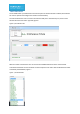
The harness allows the user to connect via either the USB port or the Ethernet port, these can be
selected from the Connection Type tab, figure 6.
Figure 6, Connection Tab
With the reader connected the user can exercise the FS1000 Commands via the command tab.
It should be noted that the FX commands are those topmost in the menu with the Wavetrend reader
commands prefixed RX210, Figure 7.
Figure 7, Command tab