
User's Manual




Updating FS1000 Firmware
The FS1000 Fw can be updated by using the supplied flash tool connected to the header accessible
via the panel in the underside of the unit, figure 15.
Figure 15, FS1000 Inline programming header
The FS1000 should be connected with Pin1 of the inline programmer connected to Pin1 of the
reader. Pin 1 on the programmer is the top most pin of the 6 pin jumper CN4 and is marked with a
dot, Pin 1 on the reader is the furthest pin to the right as shown above.
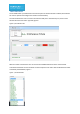
The software application STM32 ST-Link Utility that required to flash the FW can downloaded using
the link below.
http://www.st.com/en/embedded-software/stsw-link004.html
Pin1
Pin1