
User Manual


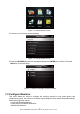
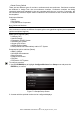
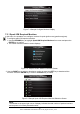
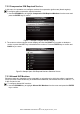


Table Of Contents
- One-Year Limited Warranty
- Safety Information
- 1 Using This Manual
- 2 Introduction
- 3 Getting Started
- 4 OBDII/EOBD Operations
- 5. DTC Lookup
- 6 Review Data
- 7 System Setup
- 8 Tool Information
- 9 NT Wonder Introduction

NT301 OBDII/EOBD Code Reader User’s Guide_English Version_V1.00
37
7.2.2 Compression IGN Required Monitors
In this menu, the operators can configure monitors for compression ignition cars (diesel engines).
To configure spark compression required monitors:
1. Use the UP/DOWN key to highlight Compression IGN Required Monitors from the menu and
press the ENTER key to confirm.
Figure 7-7 Sample Configure Monitors Display
2. The custom monitors selection screen displays and Use the RIGHT key to select or deselect a
monitor or press the LEFT key to deselect all the monitors. Press the ENTER key to confirm and
BACK key to cancel.
Figure7-8 Sample Spark IGN Required Monitors Selection Screen
7.2.3 Allowed INC Monitors
Emissions tests vary depending on the geographic or regional area in which the vehicle is registered.
NT301 provides a more flexible way to meet different standards, which allows the user to select 0, 1, 2,
3 INC monitors in test.
To configure allowed INC monitors:
1. Use the UP/DOWN key to highlight Allowed INC Monitors from the menu and press the ENTER
key to confirm.