
User's Manual



iPAD Operations Guide
Copyright 2003 by Fujitsu Transaction Solutions Inc. Confidential
31
3.7.2 Completely Resetting the iPAD
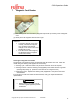
Completely reset the iPAD (“cold boot”) if it is not operating correctly or if you want to prevent
deterioration of the main battery when storing the iPAD for a long period.
(1) Turn off the iPAD
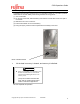
(2) On the rear of the iPAD, slide the battery lock switches on both sides of the lower part to
the outside.
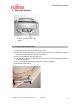
(3) Slide down the cover to remove it.
(4) Pull the black ribbon to remove the battery.
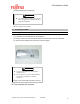
(5) Using the stylus, press the switch exposed when the battery is removed.
Reset / Cold Boot Switch
All the data in memory is cleared, and memory is initialized.
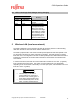
CAUTION
When you completely reset the iPAD, all of
the data and information (Control Panel
settings and installed applications) in its
memory is lost
(except for the data in the flash disk
area). See the "iPAD Systems Users
Guide" to restore the applications.
⌦ This completes the operation.