
User's Manual



iPAD Operations Guide
Copyright 2003 by Fujitsu Transaction Solutions Inc. Confidential
32
4 LED Indications
This chapter explains the LED indicators on the iPAD and on the single-pack charger.
4.1 iPAD LED
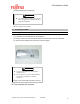
LED indication
Equipment
status
Color
Indication
Explanation
iPAD is
being
turned on
Green Lights and then
goes off.
The iPAD is starting up
(resuming operation).
Do not operate the iPAD
until the LED goes off.
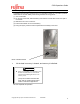
Barcode is
being read
by the
scanner
Green Lights if the bar
code is read
correctly.
(*1)
The LED can be made to
light if the iPAD reads the
Barcode correctly
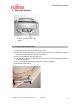
Magnetic
card being
read by
the reader
Green Lights if the
magnetic card
is read
correctly.
(*1)
The LED can be made to
light if the iPAD reads the
magnetic card correctly.
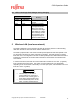
Battery on
the cradle
is being
charged
Orange Lights.
The battery is being
charged. The LED turns
green when charging is
complete.
Green Lights. Charging is complete.
Yellow Lights. A charging error has
occurred.
Either replace or charge
the main battery again.
(*2)
(*1) The LED can be made to go on by an application when a magnetic card is read by the
reader or when the scanner correctly reads a barcode.
(*2) The LED is Yellow when the iPAD is powered on from a suspended state while in the
cradle. This is not a charging error. The actual color is a Yellow/Green.