
Computer Products of America Image Scanner Operator's Guide fi-4990C

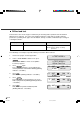
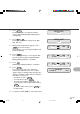
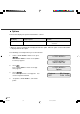
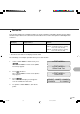

Table Of Contents
- Cover
- Inner Cover
- Revision Record
- Addresses
- IMPORTANT NOTE TO USERS
- Preface
- Conventions
- CONTENTS
- Chapter Index
- CHAPTER 1 COMPONENTS
- CHAPTER 2 INSTALLATION AND CONNECTIONS
- CHAPTER 3 OPERATING INSTRUCTION
- CHAPTER 4 DOCUMENT SPECIFICATION
- CHAPTER 5 SPECIFICATIONS
- CHAPTER 6 SETUP, BROWSE, AND TEST MODES
- Setup, Browse, and Test Modes
- Activating the Setup or Browse Mode
- Contents of the Setup or Browse Mode
- Transition of screens in setup mode
- Paper length check
- Doublefeed check
- Paper thickness setup
- Skew check
- IPC-3 mode
- Hopper height
- Paper separation level
- Drop-out color
- Background changeover
- Consumable counter
- Consumable counter reset
- Consumable alarm mode
- Buzzer
- Buzzer volume
- LCD contrast
- Picking speed
- TP_IF baud rate
- SCSI ID
- Product ID
- Pre-pick
- Pick start time
- Manual feed timeout
- Paper pick retry
- Paper feed retry
- Function key
- Setup mode lock
- Language
- White follower mode
- Interface board slot
- SCSI bus width setting
- Activating the Test Mode
- Contents of the Test Mode
- GLOSSARY OF TERMS
- INDEX
- Declaration of Conformity
- Back Cover
6-52
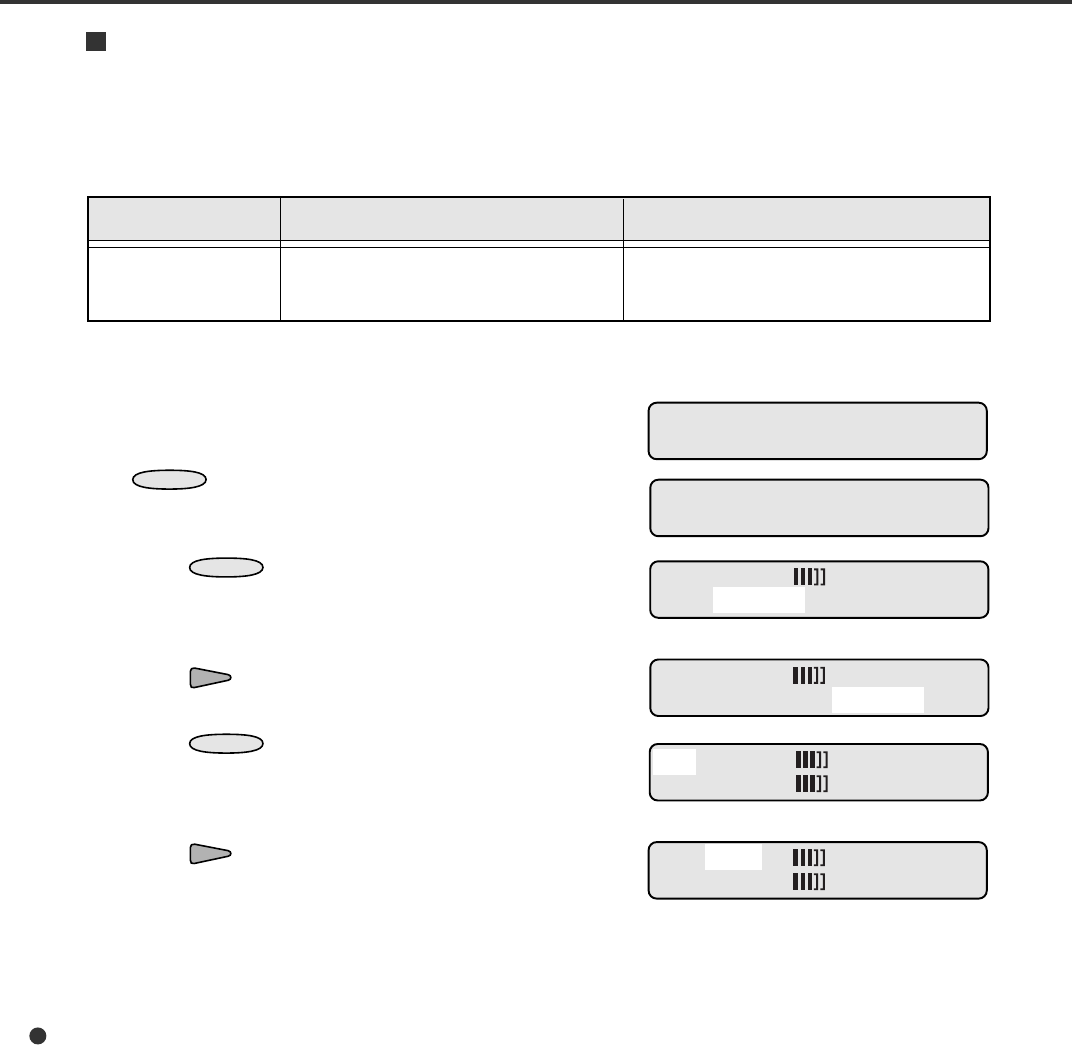
1. Put sheets of paper on the hopper table.
2. In the <<TEST MODE>> initial screen, press
ENTER
.
The <<TEST MODE>> menu screen (Offline
Feed Test) appears.
3. Press
ENTER
again.
The scanning parameters screen indicates the
current parameters with START blinking (blinking
indicates “selectable”).
4. Press .
SETUP blinks (blinking indicates “selectable”).
5. Press
ENTER
.
The LCD changes to the parameter set screen
with S (simplex mode) blinking (blinking indicates
“selectable”).
6. Press .
A4P (A4 size in portrait orientation) blinks
(blinking indicates “selectable”).
Offline feed test
This function scans sheets of paper continuously for checking entire operation of the mechanism
without a host computer. You can use the Settings function in setup mode to modify scanning
parameters (scanning mode, paper size/orientation, density, resolution, and halftone processing) for
scanning documents.
Remarks
START: begins the test.
SETUP: changes settings of scanning
parameters.
LCD display
Offline Feed Test
Test items
START and SETUP
The following is an example of operation when you start the offline feed test.
<<TEST MODE>>
<<TEST MODE>>
Offline Feed Test
S A4P 200 LA
START SETUP
S A4P 200 LA
START SETUP
S A4P 200 LA
LA
S A4P 200 LA
LA
15C6.P65 01.2.17, 5:47 PM52