
Computer Products of America Image Scanner Operator's Guide fi-4990C
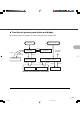

Table Of Contents
- Cover
- Inner Cover
- Revision Record
- Addresses
- IMPORTANT NOTE TO USERS
- Preface
- Conventions
- CONTENTS
- Chapter Index
- CHAPTER 1 COMPONENTS
- CHAPTER 2 INSTALLATION AND CONNECTIONS
- CHAPTER 3 OPERATING INSTRUCTION
- CHAPTER 4 DOCUMENT SPECIFICATION
- CHAPTER 5 SPECIFICATIONS
- CHAPTER 6 SETUP, BROWSE, AND TEST MODES
- Setup, Browse, and Test Modes
- Activating the Setup or Browse Mode
- Contents of the Setup or Browse Mode
- Transition of screens in setup mode
- Paper length check
- Doublefeed check
- Paper thickness setup
- Skew check
- IPC-3 mode
- Hopper height
- Paper separation level
- Drop-out color
- Background changeover
- Consumable counter
- Consumable counter reset
- Consumable alarm mode
- Buzzer
- Buzzer volume
- LCD contrast
- Picking speed
- TP_IF baud rate
- SCSI ID
- Product ID
- Pre-pick
- Pick start time
- Manual feed timeout
- Paper pick retry
- Paper feed retry
- Function key
- Setup mode lock
- Language
- White follower mode
- Interface board slot
- SCSI bus width setting
- Activating the Test Mode
- Contents of the Test Mode
- GLOSSARY OF TERMS
- INDEX
- Declaration of Conformity
- Back Cover

4-3
lb indicates the pound weight of 500 sheets of 17 x 22 inch paper (3.76 g/m
2
).
Precautions
Be careful not to scan the following documents. Preliminary document feed testing may be necessary
to avoid the unexpected errors. If the document slips in ADF (JAM error) or double feed occurs
frequently, refer to “Improving Document Separation” in Reference Guide.
• Paper with clips or staples
• Paper with wet ink
• Paper of which thickness is not constantly equal. (like envelope)
• Paper with large rumples or curl. (See NOTE on the next page.)
• Paper with folds or tears
• Tracing paper
• Coating paper
• Carbon paper
• Carbonless paper
• Paper smaller than A7 size, or larger than A3 size
• Other than paper: clothes, metal foils, or OHP films
• Photographic paper
• Paper with notches on its side
• Other than rectangle paper
When scanning a translucent document, set the density to light mode.
To prevent roller smudging, avoid scanning a document filled out in pencil. Clean the roller as often as
possible when scanning many document. Once every 1000 sheets is recommended.
The chemical composition of some carbonless papers may react with the roller rubber and damage the
rubber. Check the carbonless papers before use.
When using carbonless paper, follow these conditions:
• Ream weight of the paper is 52 g/m
2
(13.9 lb) or more.
• Hopper load is 500 sheets or fewer.
09C4.P65 01.2.17, 5:44 PM3