
Quick Reference Guide


www.gateway.com
87
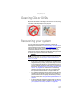
Cleaning CDs or DVDs
Wipe from the center to the edge, not around in a circle, using
a product made especially for the purpose.
Recovering your system
You can solve most convertible notebook problems by
following the information in “Troubleshooting” on page 109 or
in the technical support pages at www.gateway.com
. Problem
solving may also involve re-installing some or all of the
convertible notebook’s software (also called recovering or
restoring your system). Gateway provides everything you need
to recover your system under most conditions.
• If only one or two items of software or hardware have
stopped working correctly, the problem may be solved
by re-installing the software or the hardware drivers. To
recover software and drivers that were pre-installed at
the factory, see “Recovering pre-installed software and
drivers” on page 88. For instructions on reinstalling
software and drivers that were not pre-installed, see
that product’s documentation or support Web site.
• If re-installing software or drivers does not help, then the
problem may be solved by returning your system to a
previous state when everything was working correctly.
For instructions, see “Using Microsoft System Restore” on
page 94.
• If nothing else has solved the problem and you want to
return your system to factory condition, see “Recovering
your system to its factory condition” on page96.
Caution
To prepare your convertible notebook for additional system recovery
options, you should create a set of software and driver recovery discs as soon
as possible. For instructions, see “Preparing for software and device driver
recovery” on page 88.