
Quick Reference Guide

113
www.gateway.com
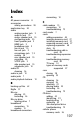
safety
avoiding repetitive strain
14
general precautions 98
guidelines for
troubleshooting
70
posture 14
reducing eye strain 13
setting up computer 13
sitting at computer 12, 14
static electricity 34
scanner
installing 30
screen
troubleshooting 77
screen objects
getting information 22
moving 22
selecting 21
scroll wheel 21
serial number 2, 96
serial port 31
setting up
safety precautions 98
settings
transferring 65, 66
shortcut menus
accessing 22
shortcuts
opening menu 22
shutting down computer 17, 18
side panel
removing 35, 36
replacing 35, 36
sleep mode 17
using 18
software
re-installing 88, 91
sound
adjusting 28
controls 28
muting 28
speaker jack
analog 9
center 10
rear 10
side 10
speakers
configuring 30
Standby mode 7
starting
computer 7, 16
programs 21
static electricity 34
surge protector 14
system identification label 2, 96
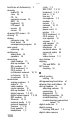
T
Task Schdeuler 64
techinal support
Support
2
technical support
tips before contacting 96
telephone jack 10
telephone support 96
top bezel
removing 45
replacing 46
transferring
files from old computer
65,
66
settings from old computer
65
troubleshooting
add-in cards
85
cable modem 73
cards 85
CD drive 79
dial-up modem 74
dial-up modem speed 75
display 79
DSL modem 73
DVD drive 79
Ethernet network 76
files 81
general guidelines 70
hard drive 81
Internet connection 72, 75
keyboard 81
LCD panel 77, 79