
Desktop Computer User Guide




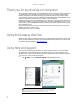

Table Of Contents
- Getting Help
- Using Windows
- Using the Internet and Faxing
- Playing and Creating Media Files
- Networking Your Computer
- Introduction to Networking
- Ethernet networking
- Wired Ethernet networking
- Wireless Ethernet networking
- Establishing your Ethernet network connection
- Testing your network
- Adding a printer to your network
- Sharing resources
- Using the network
- Bluetooth networking
- Protecting your computer
- Customizing Windows
- Changing screen settings
- Changing system sounds
- Changing mouse settings
- Adding and modifying user accounts
- Changing power-saving settings
- Changing accessibility settings
- Setting up parental controls
- Notices

CHAPTER 1: Getting Help
2
Thank you for purchasing our computer!
You have made an excellent decision choosing Gateway. We are sure that you will be pleased with
the outstanding quality, reliability, and performance of your new computer. Each and every
Gateway computer uses the latest technology and passes through the most stringent quality
control tests to ensure that you are provided with the best product possible. Please read this manual
carefully to familiarize yourself with your computer’s software features.
Gateway stands behind our value commitment to our customers—to provide best-of-class service
and support in addition to high-quality, brand-name components at affordable prices. If you ever
have a problem, our knowledgeable, dedicated customer service department will provide you with
fast, considerate service.
We sincerely hope that you will receive the utmost satisfaction and enjoyment from your new
Gateway computer for years to come.
Thanks again, from all of us at Gateway.
Using the Gateway Web site
Gateway’s online support is available 24 hours a day, 7 days a week and provides the most current
drivers, product specifications, tutorials, and personalized information about your computer. Visit
the Gateway Support Web site at www.gateway.com
.
Using Help and Support
Your computer includes Help and Support, an easily accessible collection of help information,
troubleshooters, and automated support. Use Help and Support to answer questions about
Windows and to help you quickly discover and use the many features of your Gateway computer.
To search for a topic in Help and Support:
1 Click (Start), then click Help and Support. Help and Support opens.
Tip
You can find help information by clicking a general topic under Find an
answer, selecting an option under Ask someone, or picking a category from
Information from Microsoft. You can also search for a topic.