
Computer Monitor User Manual



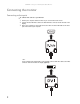
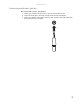
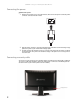
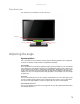
Table Of Contents
- HD2202 22-inch Widescreen LCD Monitor
- USERGUIDE
- Contents
- Using Your Gateway Flat-Panel Monitor
- Connecting the monitor
- Adjusting the angle
- Starting the monitor
- Adjusting monitor settings
- Changing Windows screen settings
- Power management
- Maintenace
- Troubleshooting
- FAQs
- General
- How To
- Technical
- Why do I see “noise” or “trash” on the screen?
- What is HDCP and how do I troubleshoot it?
- How does HDCP work?
- What happens if I lose signal to the display while watching a movie on a HDCP-equipped component?
- What is the cause if a movie starts and then slowly fades to static?
- How do I know if a component is HDCP compliant?
- Specifications
- Safety, Regulatory, and Legal Information

www.gateway.com
5
Basic front view
Your monitor has menu buttons to ensure ease of use.
Adjusting the angle
Ergonomic guidelines
The recommended screen positioning is based upon the following guildelines. These guidelines
are based on available scientific literature and published standards.
Screen height
The recommended screen height for displays (except in special circumstances, such as for bifocal
use) is that the top of the display should be set at or slightly below (about 1 inch or 25 mm) your
eye level while you are sitting in a comfortable working posture. This guideline places the center
of the screen at an ideal 15° to 20° viewing angle for most desktop displays. If the display has
multiple users, the screen height should be easily adjustable to accommodate each user’s height
and preference.
Screen tilt
The screen should be tilted so your line of sight is perpendicular to the screen. This angle creates
the most consistent viewing distance when scanning from the top of the screen to the bottom.
You may need to adjust lighting to avoid screen glare when the screen is tilted upward.
Screen distance from user
The screen should first be placed at arm’s length from the user, then adjusted back and forth to
suit individual preference.
Power LED
Power button
Menu buttons