- GCC Elite Color 16 Series Printer User's Guide
Manuals
Brands
GCC Printers Manuals
Printer
16
111
112
113
114
115
116
117
118
119
120
5-10
GCC Elite Color 16 Series User
’
s Guide
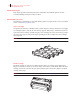
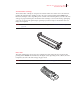
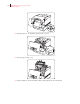
Drum Cartridge
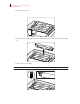
1.
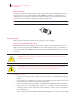
Push up button ‘A
’
➀
and fully open the front cover
➁
.
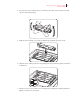
2.
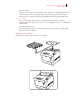
Open the paper outlet cover
.
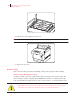
3.
Grip the handle on top of the drum cartridge and gently lift it out of the printer
.
1
...
...
118
119
120
121
122
...
...
196