- GCC Elite Color 16 Series Printer User's Guide
Manuals
Brands
GCC Printers Manuals
Printer
16
121
122
123
124
125
126
127
128
129
130
5-18
GCC Elite Color 16 Series User
’
s Guide
Fuser Unit
3.
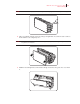
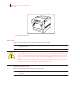
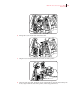
Close the front cover
.
4.
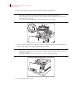
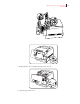
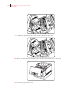
Press button ‘B’
➀
and open the upper part of the front cover
➁
.
5.
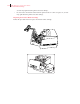
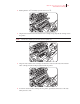
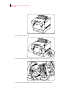
Move the slide switches at both ends of the fuser unit forward.
1
...
...
126
127
128
129
130
...
...
196