
User's Guide
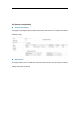

LED Display
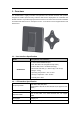
LED
Function
Description
SYS
System run
indicator
Solid green – Device is in normal operation.
SIM
SIM card indicator
Light is on – SIM card state is ready,
Blinking Green – SIM card is error.
ETH
LAN port status
Solid Green – LAN port is up.
Blinking Green –LAN port in working.
RF
(5LEDs)
RF Signal Strength
5 level signal strengths indication by 5 green LEDs.
1st Green LED: -115dBm < RSRP
2nd Green LED: -115dBm <= RSRP < -105dBm
3rd Green LED: -105dBm <= RSRP < -95dBm
4th Green LED: -95dBm <= RSRP < -85dBm
5th Green LED: -85 <= RSRP
3. Managing Window CPE Device
3.1 WEB Login
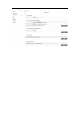
User can access the LTE CPE management GUI using a Web browser from a local PC
connected to device LAN port. The user should ensure that the connected PC have
acquired IP address via DHCP from the device. After IP connectivity is established
between the PC and window CPE device, the user may launch a Web browser and
specify http://192.168.0.1 in the address bar, the default home page will appear.