
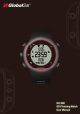
User's Manual





TOC
10
1.5.3 Turn ON for TARGET to vibrate when you out of target zone that you’ve indicted.
1.5.4 Turn ON for NOTICE to vibrate when a notification received from your phone
(Incoming Calls, Message or Phone Lost).
1.6 UNITS
1.6.1 To choose English system (Inch/lb) or Metric system (cm/Kg).
1.7 DOZE MODE
1.7.1 Enable for power saving. The screen will doze whenever it stays idle (no key
interrupt) for total 5 min.
1.7.2 Screen should wake up when motion detected.
2 TARGET (Target Zone)
2.1 Default value is OFF that has no target zone alert during your workout.
2.2 There’re HR (heart rate), PACE and SPEED to be your training target zone.
2.3 You can preset each minimum and maximum value.
2.4 Choose one of them to be your target zone.
2.5 Whenever you are over or lower than your configured target zone, the watch will alerts
you by buzzer and vibrator (if you turn ON in SETTINGS > GENERAL > VIBRATION >
TARGET).
3 DISPLAY
3.1 GH-208 provides you 3 pages and 1 mini page.
3.2 Default settings:
3.2.1 Page 1: Chrono / Speed
3.2.2 Page2: Distance / Pace
3.2.3 Page3: HR / Calories
3.2.4 Mini Page: Time (Local time)
3.3 Selections: Chorno, Distance, Speed, Average Speed, Pace, Average Pace, Time, HR,
Average HR, Calories, OFF (Display empty).
3.4 Each page display allows you to show 2 values in your own preference.
3.5 For Mini page selection: Chorno, Speed, Avg speed, Pace, Avg pace, Time, HR, Avg HR,
Calories, Lap number, OFF.
4 Auto Lap
4.1 Go SETTINGS > AUTO LAP to choose Auto Lap by DISTANCE
4.1.1 Configure the distance you want to automatically count the lap.