
User manual User Manual


GH-625XT
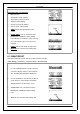
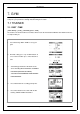
TRAINING LEVEL
Select training level depend on your sport type, the
default setting is Middle.
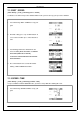
EXT RA WEIGHT
1. Confirm the ex tra weight you carry and then
input to EXTRA WEIGHT i t em .
2. System will calculate the calories consumption
depending on the specified sport type.
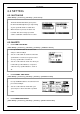
6.2.4 LAP SETTING
[MAIN M E NU] > [ACTIVITY]> [SETTING] > [LAP SETTING]
There are five selections for setting.
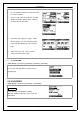
X
OFF
Disable LAP function.
X
DISTANCE
LAP trigger by specify distance.
X
BY TIME
LAP trigger by specify time.
X
BY POINT
LAP trigger by specify location where you start
training.
X
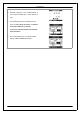
GPS OFF LAP
To save more power and use the watch as a normal
training wa tch wi t h LAP function. When LAP key wa s
active, system wi l l account into an additional lap and
distance will be taken into training according to
setting. GPS will be disable in this period.
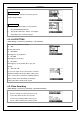
6.2.5 Data Recording
[MAIN M E NU] > [ACTIVITY]> [SETTING] > [DATA RECORDING ]
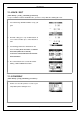
1. System is default to record one point for every
second. This will create the most accurate
record for your training act iv i t y. Ho wev e r, you
can set a different interval to record the p oi n ts.
Page 24