
User manual User Manual


GH-625XT
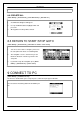
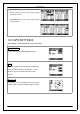
10.6 MAP MODE SET
DIRECTH TO NO RTH: In Map Mode, system always
orients to North on twelve o’clock direction.
BIRD EYE VIEW: System a l wa ys changes its
orientation upon practical direction.
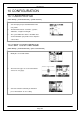
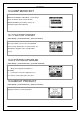
10.7 FACTORY RESET
[MAIN MENU] > [CONFIGURATION] > [FACTORY RESET]
This featur e allows you to restore the GH-625XT
back to factory default status. In another wo rds, the
training data, waypoint, and user profile will be
erased.
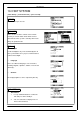
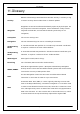
10.8 SYSTEM UPGRADE
[MAIN MENU] > [CONFIGURATION] > [SYSTEM UPGRADE]
1. Allow you to upgrade the firmware of
GH-625XT.
2. If you want to cancel the upgrade process,
press P o we r + ESC button at the sam e t im e.
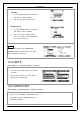
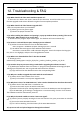
10.9 ABOUT PRODUCT
[MAIN MENU] > [CONFIGURATION] > [ABOUT PRODUCT]
Display the firmware version i nf o rm a ti on.
Page 42