
User manual User Manual
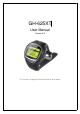

GH-625XT
Page 7
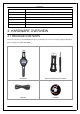
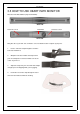
Quick Guide Bike Holder (optional)
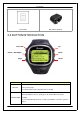
3.2 BUTTON INTRODUCTION
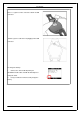
ESC/LAP Up
Power / Backlight
Enter
Page
Down
Button
Description
ESC/LAP
In Menu mode, press ESC button to escape from the current page and go back
to the previous page.
Press ESC button to split a lap when timer is running.
Power/Backlight
Press 2 seconds to turn o n/ off GH-625XT.
When GH-625XT is turn on, quickly press this button will turn on/off the
backlight.
Press and hold this button for 14 seconds to do hardware reset if the system is
halted.