
Operating Manual
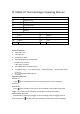
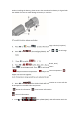

# when installing the battery, please ensure the arrowhead on battery is aligned with
the middle of screen to avoid damage to battery or machine.
# To switch function, please see below:
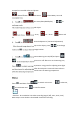
A. Press to . Press to select Thermal Image color bar(7 options).
B. Press to (thermal/grey/sketch). Press to exchange
mode
C. Press to switch (℃ / ℉).
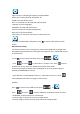
D. Press to AUTO, (Max, Min , Max and Min, Auto)
Press to exchange mode. Press to set temperature.
: Adjust maximum temperature. : Adjust minimum temperature. :
Adjust max and min together.
Auto: Temperature range would be auto adjusted by System.
E. Press to (Info. A/Info. B/Info Off), Information on screen will also
be stamped on recorded videos and photos.
Shows all information. Close button information.
Close all information.
F. Press to (OSD A/OSD B/OFF). OSD information won’t be