
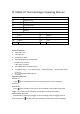
Operating Manual
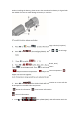

stamped on recorded videos and photos
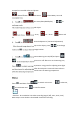
Normal Screen. Grid Screen. Close Battery icon and
recordable time.
G. Press to (Auto Focus/Near/Middle/Far) , to
exchange mode.
This mode help you to focus on small object.
:Auto Focus, :Under 15 cm, : 15 ~ 45 cm 60 cm and
far
H. Press to (Vertical adjustment / horizontal adjustment)
If the thermal image doesn’t overlap on the object, press to exchange
mode and to adjust thermal image location.
I. Press to (Temperature Warning Icon On/Off) and press
to set temperature warning icon on or off. After turn on the warning icon,
Press to adjust warning temperature. Long press for adjusting units digits
and short press for adjusting digit after decimal point. Screen will show red area
while the detecting temperature reaches over the warning temperature.
.
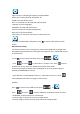
Menu:
Press into Menu. Press to switch main menu . to submenu,
as back button and as Confirm Button.
:
Seamless: To set whether limit video recording length. (Off, 1min, 3min, 5min)
Date Stamp: to set whether show Date& Time while recording.