
Operating Manual

:
Light Frequency: Change light frequency to 50Hz or60Hz.
Power Save: To setup time for auto power off.
Date& Time: Date &Time Setup.
Wi-Fi: To enable Wi-Fi and setup SSID and password.
Language: To select languages
USB Mode: To setup USB Out function.
Format: To delete all recorded video/photos
Reset All: To set back to default.
Information: To review the Thermal Cam information here.
:
To review recorded videos and photos. Press to switch video/ photos review
option.
Wifi Connected Setup:
1.To connect thermal cam to smartphone, please sourcing SBC APP on Google Play
Store/Apple App Store(IOS) and installing it to smartphone. Then enable Wifi connect
on Smart phone.
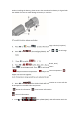
2. Press on thermal cam to Menu, then press to .
Press and press to select Wi-Fi => Enable => Yes. Press twice to
go back main screen. Wi-Fi icon would show up after few seconds.
3. Please sourcing ThermoCam xxxxxx through Wi-Fi on Smart phone and press
password (1234567890) to connect.
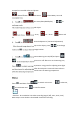
Open SBC APP =>select Add New Camera => select Wi-Fi Connect => Press
and smartphone will show the image on thermal cam.
USB Out:
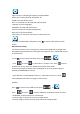
Press on thermal cam to Menu, then press to
Press and press to select USB Mode. Available functions as below:
*SD READER : Enable computer to read SD card.
*Camera image: to setup real-time visual image output.
*Thermal image: to setup real-time visual and thermal image output.