
Operation Manual






FIRMWARE VERSION 1.0.7.76 GXV3140 USER MANUAL Page 53 of 151
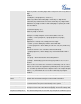
(with 486Busy message).
Special Feature
Different soft switch vendors have special requirements; therefore users
may need to select special features to meet these requirements. Users can
choose from Standard, CBCOM, RNK, China Mobile, ZTE IMS and Mobotix
depending on their need.
The default setting is Standard.
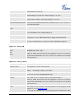
Enable Call Features
The default is set to YES. If it is set to NO, call features are disabled.
Call Forward Unconditional
Sets the number to forward to unconditionally.
Call Forward When Busy
Sets the number to forward to when busy.
Call Forward When No
Answer
Sets the number to forward to when no answer.
Delayed Call Forward Wait
Time (s)
The wait time before transferring the call to another extension or to
voicemail; the default setting is 20 seconds.
No Key Entry Timeout (s)
Defines the time out duration on no key entry.
Default setting is 4 seconds.
Ring Timeout (s)
Defines the time out duration on no answer.
Default setting is 60 second.
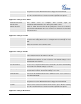
Transfer on Conference
Hangup
Defines whether or not the call is transferred to the other party if the initiator
of the conference hangs up.
Default setting is set to No.
Use # as Dial Key
Selects whether or not # is used as Send.
Account Ringtone
This allows the user to configure the general ringtone used for this account.
Users can choose from different ringtones from the dropdown menu. They
can also upload mp3 files in Ringtone manager for their own ringtone.
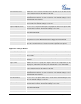
Ring Tone
Users can select up to 3 distinctive ringtones to match incoming caller ID.
Users can choose from different ringtones from the dropdown menu. They
can also upload mp3 files in Ringtone manager for their own ringtone.
APPLICATION SETTINGS PAGE DEFINITIONS
Application Settings /Phonebook
Save Phonebook to PC
Allows the user to save the phonebook list to the PC. Users can click on the
“Save” button and save the xml file to the PC.
File Source
Configures the file source of the file to be downloaded. Users can choose to
download from “Internet” or from “Local File”. The default setting is set to