
Operation Manual





372 6 DIN Programming
6.21 Lateral Surface Machining
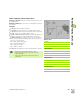
Starting point of contour / rapid traverse G110
Geometry command: G110 defines the starting point of contour
definition on the lateral surface.
Machining command: The tool moves at rapid traverse along the
shortest path to the end point.
Parameters
Z end point
C end angle
CY end point as linear value (reference: G120 reference diameter)
X end point (diameter value)—(default: Current X position)
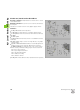
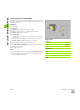
Example: G110
%110.nc
[G110, G111, G113, G794]
N1 T71 G197 S1200 G195 F0.2 M104
N2 M14
N3 G120 X100
N4 G110 C0
N5 G0 X110 Z5
N6 G794 X100 XE97 P2 U0.5 R0 K0.5 F0.15 H0
Q0
N7 G110 Z-20 CY0
N8 G111 Z-40
N9 G113 CY39.2699 K-40 J19.635
N10 G111 Z-20
N11 G113 CY0 K-20 J19.635 B0
N12 G80
N13 M15
END
Define the contour starting point or end point either
with "C" or "CY."
Use G110 to position the C axis to a defined angle
(programming: N.. G110 C...).
Permitted as machining command only for G110:
Parameter X