
User Manual

UM DS-2CExxU8T-xxxx 042318NA 6
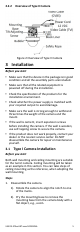
Figure 3 Disassemble the Camera
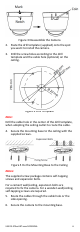
2. Paste the drill template (supplied) onto the spot
you want to install the camera.
3. Drill the screw holes according to the drill
template and the cable hole (optional) on the
ceiling.
Figure 4 Drill Template
Note:
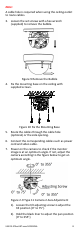
Drill the cable hole in the center of the drill template,
when adopting the ceiling outlet to route the cable.
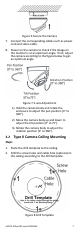
4. Secure the mounting base to the ceiling with the
supplied screws.
Figure 5 Fix the Mounting Base to the Ceiling
Notes:
The supplied screw package contains self-tapping
screws and expansion bolts.
For a cement wall/ceiling, expansion bolts are
required to fix the camera. For a wooden wall/ceiling,
self-tapping screws are required.
5. Route the cables through the cable hole or the
side opening.
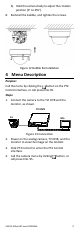
6. Secure the camera to the mounting base.