
User Manual

UM DS-2CExxU8T-xxxx 042318NA 9
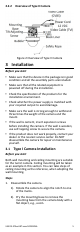
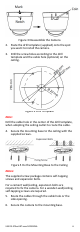
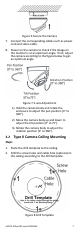
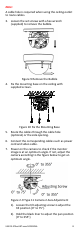
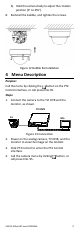
3). Hold the camera body to adjust the rotation
position [0° to 355°].
8. Reinstall the bubble, and tighten the screws.
Figure 12 Bubble Reinstallation
4 Menu Description
Purpose:
Call the menu by clicking the button on the PTZ
Control interface, or call preset No.95.
Steps:
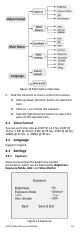
1. Connect the camera to the TVI DVR and the
monitor, as shown.
TVI DVR
Figure 13 Connection
2. Power on the analog camera, TVI DVR, and the
monitor to view the image on the monitor.
3. Click PTZ Control to enter the PTZ Control
interface.
4. Call the camera menu by clicking button, or
call preset No. 95.
Ca
m
Mo
nit