
User Manual
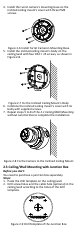
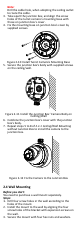
Table Of Contents

Note:
Drill the cable hole, when adopting the ceiling outlet
to route the cable.
3. Take apart the junction box, and align the screw
holes of the turret camera’s mounting base with
those on junction box’s cover.
4. Fix the mounting base on junction box’s cover by
supplied screws.
Figure 2-10 Install Turret Camera’s Mounting Base
5. Secure the junction box’s body with supplied screws
on the ceiling/wall.
Figure 2-11 Install the Junction Box’ Camera Body on
Ceilling/Wall
6. Combine the junction box’s cover with the junction
box’s body.
7. Repeat steps 5 to 8 of 2.1.1 Ceiling/Wall Mounting
without Junction Box to install the camera to the
junction box.
Figure 2-12 Fix the Camera to the Junction Box
2.4 Wall Mounting
Before you start:
You need to purchase a wall mount separately.
Steps:
1. Drill four screw holes in the wall according to the
holes of the mount.
2. Install the mount to the wall by aligning the four
screw holes of the bracket with expansion screws on
the wall.
3. Secure the mount with four hex nuts and washers.