
Quick Start Guide


EPT-4215-D3 Quick Start Guide
QSG EPT-4215I-D 031518NA 4
Getting Started
1. Install the cameras to the mounting location suggested
by Hikvision or on the product data sheet.
2. Plug cameras into the DVRs BNC connectors.
3. Connect the camera power cables.
4. Perform operations with the camera such as live view,
PTZ, recording, detection setting, etc. See User Manual,
which can be downloaded from www.hikvision.com, for
detailed information.
NOTE: PTZ control of this camera is achieved using
UTC (Up-the-Cable) protocol.
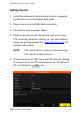
5. Access the camera’s OSD menu and PTZ setup by clicking
the menu icon in the PTZ control panel, by calling Preset
95, or clicking the + IRIS key.