
User Guide
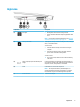

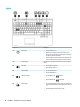

Left side
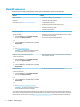
Component Description
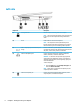
(1) Security cable slot Attaches an optional security cable to the computer.
NOTE: The security cable is designed to act as a deterrent, but
it may not prevent the computer from being mishandled or
stolen.
(2) Vents Enable airow to cool internal components.
NOTE: The computer fan starts up automatically to cool
internal components and prevent overheating. It is normal for
the internal fan to cycle on and o during routine operation.
(3) USB 3.x SuperSpeed port with HP Sleep and
Charge
Connects a USB device, provides high-speed data transfer, and
even when the computer is o, charges most products such as a
cell phone, camera, activity tracker, or smartwatch.
(4) Audio-out (headphone) jack Connects optional powered stereo speakers, headphones,
earbuds, a headset, or a television audio cable.
WARNING! To reduce the risk of personal injury, adjust the
volume before using headphones, earbuds, or a headset. For
additional safety information, see the Regulatory, Safety and
Environmental Notices.
To access this guide:
▲ Select the Start button, select HP Help and Support, and
then select HP Documentation.
NOTE: When a device is connected to a headphone jack, the
computer speakers are disabled.
(5) Audio-in (microphone) jack Connects an optional computer headset microphone, stereo
array microphone, or monaural microphone.
6 Chapter 2 Getting to know your computer