
User's Manual



29
3.4.6 FCMD
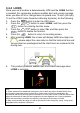
If FCMD function is enabling, the camcorder will determine it from front
car about 0.3 ~ 4 meters. When the front object moves about 3 ~ 5
seconds and the car did not start to drive forward, the camcorder will
issue audible alert and screen message.
To set the FCMD (Front Car Move Detection), do the following:
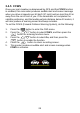
1. Press the button to enter the OSD menu.
2. Press the / button to select FCMD, and then press the
button for entering function menu.
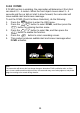
3. Press the / button to select On, and then press the
button to enable the function.
4. Press the button to return recording screen.
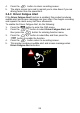
5. This product produces audible alert and screen message when
FCMD activates.
Note:
The camcorder will detects the front image change to determine FCMD notification alert, so if the
car is in rest condition and front object moves, the camcorder may occur false judgment, and please
judge it according to the actual driving situation.