
HP Color LaserJet Pro MFP M182-M185 - User Guide





Resolving print quality problems
●
Introduction
●
Troubleshoot print quality problems
Introduction
The following information provides troubleshooting steps for solving image defect issues, including the following
defects:
● Light print
● Gray background or dark print
● Blank pages
● Black pages
● Dark or light bands
● Dark or light streaks
● Missing toner
● Skewed images
● Colors that do not align
● Curled paper
Troubleshoot print quality problems
Table
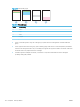
9-20 Image defects table quick reference
Defect Defect Defect
Table 9-21 Light print on page 125 Table 9-22 Gray background or dark print
on page 126
Table 9-23 Blank page — No print on page 126
ENWW Resolving print quality problems 123