
HP Color LaserJet Enterprise Flow MFP M880 - User Guide

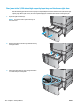
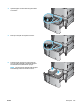
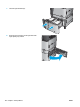
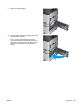
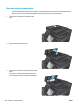


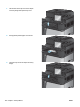

10. Lower the document-feeder input tray.
11. Close the document-feeder cover.
NOTE: To avoid jams, make sure the guides in the document feeder input tray are adjusted tightly against
the document. Remove all staples and paper clips from original documents.
NOTE: Original documents that are printed on heavy, glossy paper can jam more frequently than originals
that are printed on plain paper.
Clear output jams in the output-accessory bridge
The output-accessory bridge is installed on products with an optional nishing accessory. The output-
accessory bridge transfers paper from the output slot near the control panel, across the top of the product,
and into the nishing accessory. Use the following procedure to clear jams in this area.
ENWW Clear jams 129